


Grocery shared list and pantry
4.274.00 Reviews
App Specs
- Version
- 3.5.1
- Updated On
- License
- Free
- Downloads
- 50,000+
- Developer
- Yust Apps
- Categories
- Shopping
- Platform
- Android
Screenshots
 Analysis by AppCompare
Forgetting a grocery list is annoying; buying the same staple twice because nobody knew it was already at home is worse. I like the idea behind Grocery Shared List and Pantry: keep the shopping plan and a record of pantry items together, so the people doing the shopping can work from the same information. That combination is most useful in a shared household, where a quick change by one person can save another an unnecessary trip or duplicate purchase.
When a shared list depends on a connection
The app’s shared-list appeal is closely tied to getting current information to the other people using it. If one person adds an item or marks a purchase while another is planning the shop, a connection matters to keeping everyone’s view in step. I’d treat it as a tool for coordinating connected devices, rather than assume every change will be available everywhere at every moment.
That affects how I’d use it in practice: build the list before leaving, and check that the items you need are visible before splitting up shopping duties. If a household member is relying on a last-minute edit, confirm the change through the app while you both have a connection. It’s a small habit, but it avoids treating a shared list as a guaranteed live conversation when network conditions can get in the way.
Useful on the move, but plan the handoff
A phone list is naturally handy in a shop: I can glance at it between aisles instead of unfolding paper or searching through a message thread. The shared setup is especially helpful when one person is already near the store and another is at home remembering what ran out. It gives the household one place to organize the request instead of scattering it across texts.
For a split shop, I’d agree on who is handling which items before everyone heads out. That makes item assignments more useful and reduces the chance of two shoppers independently making the same decision. If the store is busy or reception is unreliable, a quick check before entering is a sensible backup. The app can organize the plan, but it cannot make poor connectivity disappear.
Pantry upkeep takes a little effort
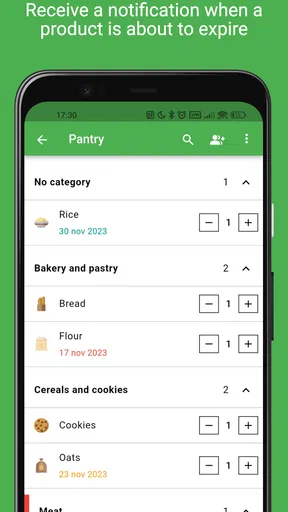
Expiration alerts can help bring overlooked food back to mind, but they work best when pantry entries are kept reasonably current. I’d add items that are easy to forget or that need using soon, rather than trying to catalogue every condiment in a large kitchen. That keeps the system practical and makes reminders more likely to be useful instead of becoming another stream of things to dismiss.
A helpful routine is to update the pantry while putting groceries away: note the items that need tracking, then check the list before the next shop. This creates a simple loop between what is already in the cupboard and what needs buying. The trade-off is clear: the app can support better household habits, but it cannot maintain an accurate inventory without people doing their part.
Worth Reading Before You Choose

Flipboard Shows What News Apps Must Do Beyond the Feed

Switching to Android Auto Means Rethinking Your Driving Routine

Google Calendar Makes a Crowded Week Easier to Manage

Ludo King Makes the Most of the Minutes Between Plans

Baby Panda World Brings Quick Play to Modern Phones, but Its Game Library Feels Busy

ESPN’s Live Game View Makes Following Close Games Easier
Who gets the most from it?
I’d recommend it to partners, families, and housemates who regularly share shopping or need to keep an eye on pantry staples. It is less compelling for someone who shops alone, buys a few predictable items, and has no interest in tracking expiration dates. A basic notes app or paper list may be quicker for that routine, especially if collaboration and pantry records would go unused.
Compared with a group chat, a dedicated grocery list keeps the shopping task from getting buried beneath unrelated messages. Compared with a simple checklist, the pantry and expiration side offers a reason to keep using it after the store trip. Neither advantage is automatic: people still need to agree on how they name items and who updates the shared plan. A household that will not maintain those habits may find a plain list less demanding.
What to expect from the app
Yust Apps publishes this free shopping app, which is rated for Everyone and has an average rating of 4.2 from around a thousand ratings. It has more than fifty thousand installs, and its current version is 3.5.1. In-app purchases are offered, so I’d check the purchase details in the app before deciding whether any paid option matters to my use. The app is available for Android and iOS, making it a workable choice for households that use different mobile platforms.
One practical question is whether everyone in the household needs to use the same phone system. Since the app is available on both Android and iOS, mixed-device households can consider it, though each person should install it and make sure they can access the shared workflow before relying on it for an urgent shop. Another is whether it replaces meal planning: I wouldn’t treat it as a full meal planner. Its value here is organizing groceries and pantry details, not deciding what the household should cook.
A realistic household routine
Imagine a household that shops once during the week and again on the weekend. Someone notices that breakfast cereal is nearly gone and adds it while at home; the person passing the store later checks the list, sees the note about the preferred type, and picks it up. Back home, the household updates the pantry so the next shopper has a better sense of what remains. That workflow is more useful than simply writing “cereal” in a chat, because the list, the shared responsibility, and pantry awareness support one another.
For less predictable shops, I’d use notes to resolve details that would otherwise trigger a text exchange: a preferred brand, a size, or a reminder to check what is already open. I would avoid putting sensitive personal information in ordinary item notes, and I’d keep assignments simple enough that everyone can understand them at a glance. The point is not to turn grocery shopping into project management; it is to reduce avoidable back-and-forth.
Connectivity and recovery in everyday use
Shared changes and cloud sync are useful when they reach the right people, but the dependence on connectivity is also the main thing I’d keep in mind. If an edit does not appear when expected, I’d first check whether the device has a connection, then reopen the list and confirm what is actually displayed before buying. If the list still seems out of date, contacting the other shopper is safer than assuming a change succeeded. That simple recovery habit matters most when two people are shopping separately.
I’d also avoid making a string of rapid edits from different devices while nobody is checking the result. A calmer routine—one person adds requests, the shopper confirms the current list, and the household updates pantry items after unpacking—makes the shared setup easier to trust. For a single shopper, connectivity is less central; for a household coordinating in real time, it is part of the working arrangement.
Keeping the list useful without overdoing it
There is a temptation to enter every item in the home as soon as a pantry tracker is available. I think that can backfire: an inventory that is tedious to maintain quickly becomes stale, and stale information can be worse than no inventory when someone is deciding what to buy. Start with foods that are commonly duplicated, costly to waste, or easy to overlook. Add more only if the household is actually keeping those entries current.
Expiration reminders are most useful when they lead to an action. When an alert appears, consider moving that ingredient into a meal plan or adding it to the top of the shopping conversation if it needs replacing. The reminder itself does not prevent waste; noticing it early gives the household a chance to use the food in time. This is a practical distinction that makes the pantry feature feel helpful rather than magical.
Why the app can fit a shared grocery routine
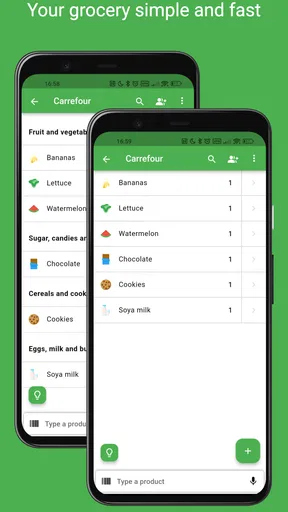
Alright, so let's dive right in. The Grocery Shared List and Pantry app is a nifty tool designed to streamline your grocery shopping experience. You can create, share, and manage shopping lists effortlessly. And the best part? It’s all on your phone, so you’re less likely to leave it at home like that crumpled paper list.
Setting Up Your Lists
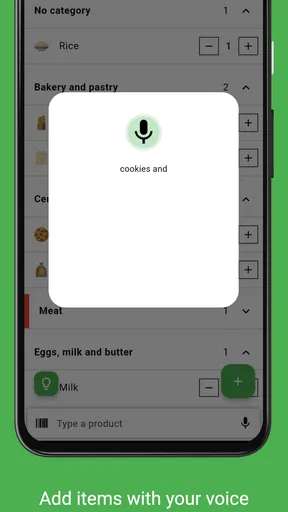
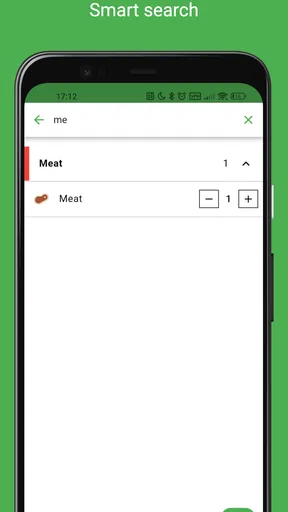
Setting up a new list is a breeze. You simply tap on the 'Create List' button, and you're good to go. The app has an intuitive interface that makes adding items super easy. You can even categorize your items into sections like produce, dairy, and snacks, which is a total game-changer when you’re methodically tackling the aisles.
But wait, there's more! If you're like me and can’t remember the brand of cereal your kids love, you can add notes to each item. This feature helps avoid the dreaded "wrong brand" disappointment back at home. Trust me, this little detail is a lifesaver.
Sharing is Caring
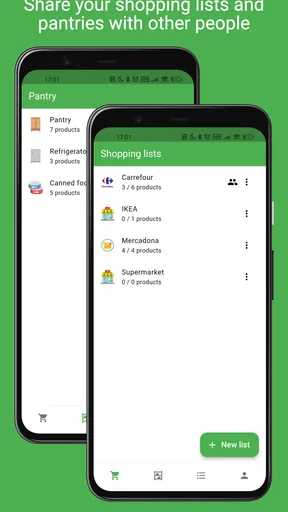
Now, here’s where things get interesting. The app allows you to share your lists with family or housemates. So, if you’re busy at work, you can send your list to your partner, and they can pick up the groceries on their way back. You can even see live updates, so you'll know if they actually got everything or if you still need to make a run yourself.
And get this: you can assign specific items to different people. So, if you’re in charge of snacks and your roommate is handling veggies, there's no overlap, and you won’t end up with a fridge full of carrots when you wanted chips.
Managing Your Pantry
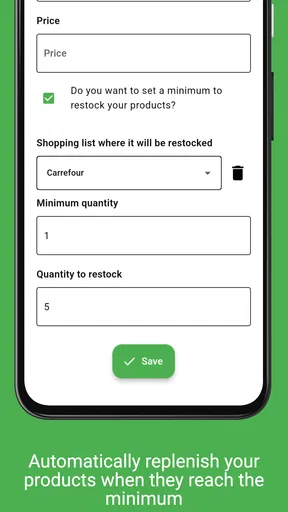
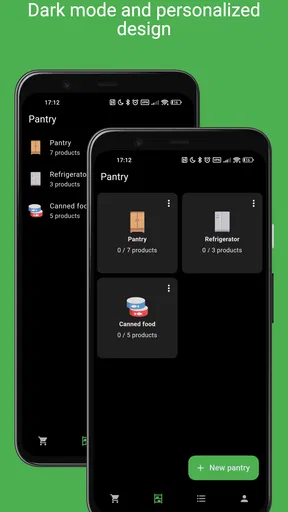
Beyond just the list-making, the pantry management feature is a gem. You can keep track of what’s already in your pantry, helping to reduce food waste and save money. It’s like having a little inventory system right in your pocket.
The app allows you to set reminders for when products are about to expire, so you can use them up before they go bad. This is perfect for those of us who often find ourselves tossing out expired goods. It’s all about smarter shopping and smarter living.
User Experience and Interface
On the interface front, the app is clean, colorful, and user-friendly. Everything is laid out intuitively, so there's no steep learning curve. Even if tech isn't your strong suit, you’ll find it easy to navigate.
It’s available on both Android and iOS, so no one misses out on the fun. Plus, it's lightweight, so it won’t hog your storage or slow down your phone. Honestly, it’s like a breath of fresh air in the crowded app world.
Final Thoughts
All in all, the Grocery Shared List and Pantry app is a must-have for anyone looking to simplify their grocery shopping routine. Whether you're a solo shopper or managing a bustling household, this app has got your back. It’s efficient, practical, and a genuine time-saver.
So, next time you're gearing up for a grocery trip, give this app a whirl. With its seamless list-sharing capabilities and handy pantry management, you’ll wonder how you ever shopped without it. Happy shopping!
Pros
- Easy to share lists with family and friends.
- Real-time updates keep everyone informed.
- Intuitive interface simplifies navigation.
- Customizable categories for easy organization.
- Syncs across multiple devices seamlessly.
Cons
- Limited offline functionality.
- Occasional sync delays reported.
- Ads can be intrusive at times.
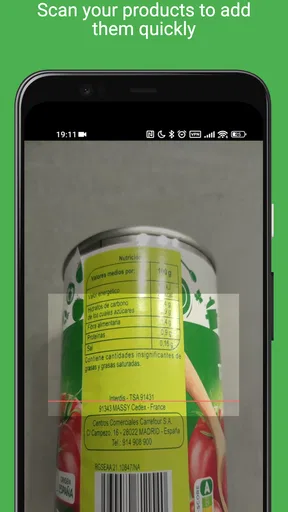
- No barcode scanning feature.
- Requires account creation for full use.
FAQs for Grocery shared list and pantry
How does the Grocery Shared List and Pantry app help with shopping organization?
The Grocery Shared List and Pantry app streamlines shopping by allowing users to create and share grocery lists with family and friends. It offers real-time updates, ensuring everyone is on the same page. The app also features pantry management, helping track inventory and avoid duplicate purchases, thus simplifying meal planning and budgeting.
Is it possible to sync the app across multiple devices?
Yes, the Grocery Shared List and Pantry app supports synchronization across multiple devices. Users can log in to their account on any compatible device to access shared lists and pantry items. This feature is particularly useful for families or roommates who want to collaboratively manage their grocery shopping and pantry inventory.
What privacy measures are in place to protect my data?
The app prioritizes user privacy by implementing robust security protocols, including data encryption and secure login processes. Users’ personal and shopping data are stored securely, and the app does not share this information with third parties without consent. Regular updates ensure the app remains compliant with data protection regulations.
Can I integrate the app with other services or apps?
The Grocery Shared List and Pantry app offers integration with popular calendar and meal planning apps. This allows users to seamlessly incorporate grocery lists into their daily planning routines. Additionally, the app can sync with voice assistants like Google Assistant and Alexa, enabling hands-free list management and updates.
Are there any subscription fees or in-app purchases?
The app is free to download and offers a basic set of features at no cost. However, it also provides a premium subscription option that unlocks advanced features such as custom pantry categories, enhanced sharing options, and ad-free usage. Users can choose the subscription plan that best fits their needs and budget, with flexible monthly or annual payment options.


